
3D object gallery
Each topic is a separate project with complete, editable Eidolang source. Previews are rendered from that same source by the actual runtime and show its initial state; open a project to explore it.
In Eidograph, use Open or drop in a downloaded file, then drag free points, change parameters and use Save As to keep your own version. View in Viewer opens it in a browser for viewing and playback; edit it in the installed app.
Also explore the 2D object gallery, basic examples and animations.
For examples containing infinite lines or planes, choose Reset view in the Viewer, then orbit or zoom to inspect the finite objects.
Spatial points, lines, planes and frames
Combines point3, segment3, line3, ray3, vector3, a three-point plane, a spatial triangle and a frame3-bound point. Orbit the camera to inspect their positions.
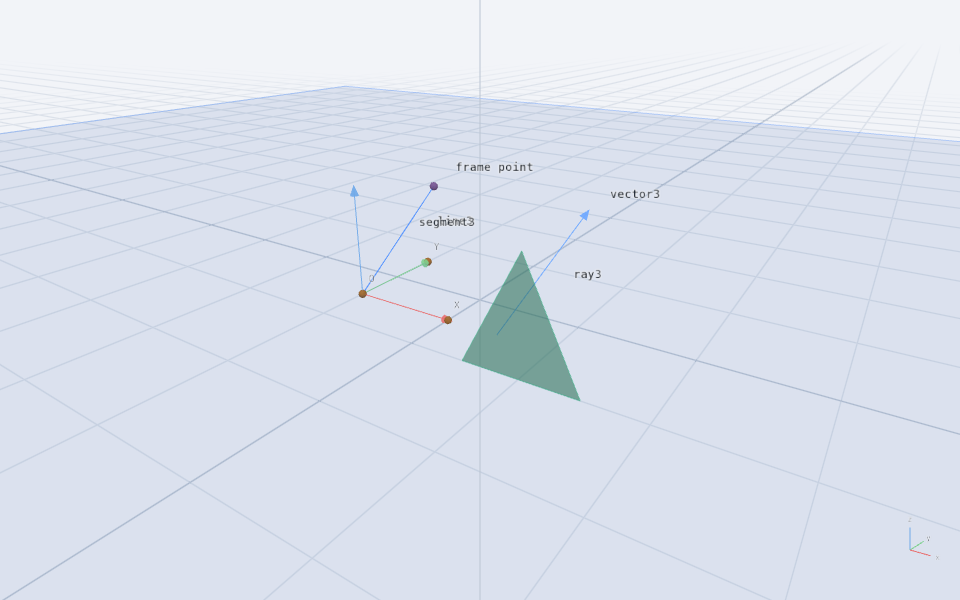
Download 3d-lines-and-planes.eido · View in Viewer
Full Eidolang source
space solid
point3 O -2 -1 0
point3 X 0 -1 0
point3 Y -2 1 0
frame3 local O X Y
point3 P in local 0.5 0.5 1
segment3 leg O P
vector3 arrow (1,-1,0) (2,0,2)
line3 axis (-3,2,0) (1,2,1)
ray3 beam (1,1,0) (2,1,1)
plane sheet O X Y
polygon3 triangle (1,-2,0) (3,-2,0) (2,-2,2)
style sheet stroke #4c8dff fill #4c8dff opacity 0.12
style triangle stroke #3fb68b fill #3fb68b opacity 0.55
label P text "frame point"
label leg text "segment3"
label arrow text "vector3"
label axis text "line3"
label beam text "ray3"
Spatial circles, ellipses and curves
The front row compares circles, arcs and ellipses with different normals; behind them sit a helix and spatial locus. P is bound to the helix. Change u to move Q along the purple trace.
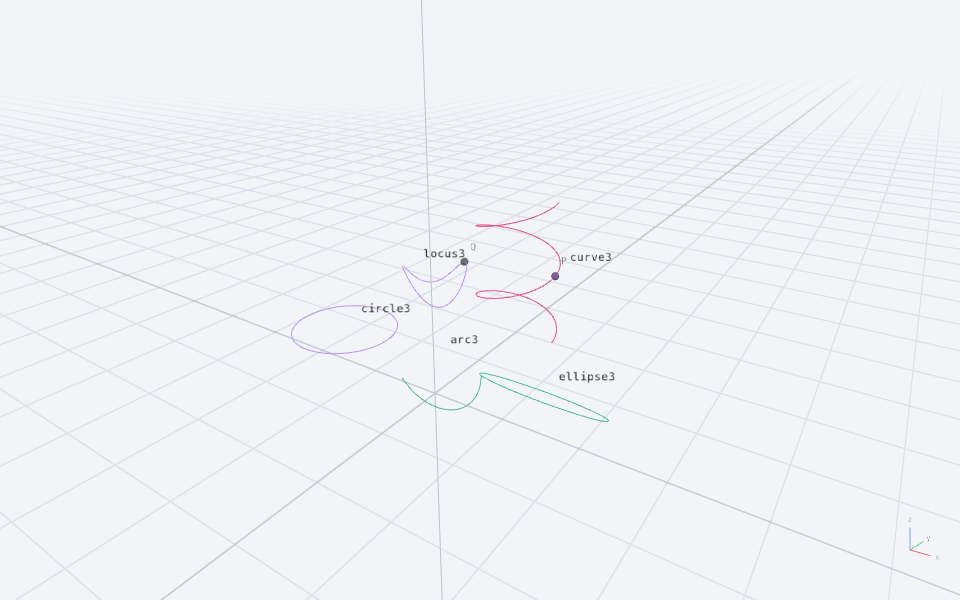
Download 3d-space-curves.eido · View in Viewer
Full Eidolang source
space solid
circle3 orbit (-3,0,1) normal (0,0,1) radius 1.4
arc3 bow (0,0,1) normal (0,1,0) radius 1.4 from 0 to 140deg
ellipse3 oval (3,0,1) normal (0,1,1) radii 1.6 0.8
curve3 helix (1.2*cos(t),4+1.2*sin(t),t/3) t from 0 to 4pi samples 120
point3 P on helix at 2pi
param u 1 range 0 2pi
point3 Q = (-3+cos(u),4+sin(u),1+0.5*sin(2*u))
locus3 trail Q driver u samples 100
style helix stroke #e0447c width 2
style trail stroke #b58cf2 width 2
label orbit text "circle3"
label bow text "arc3"
label oval text "ellipse3"
label helix text "curve3"
label trail text "locus3"
Polyhedra
Compare a box, triangular prism, square pyramid, pyramid frustum and a custom tetrahedron assembled from four triangular faces. Supporting faces are hidden to keep the solids clear.
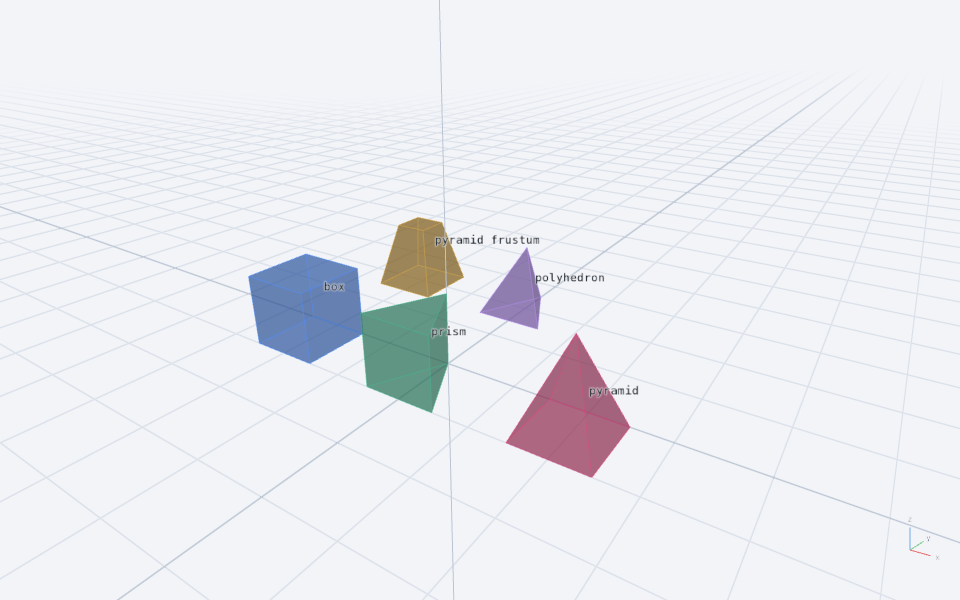
Download 3d-polyhedra.eido · View in Viewer
Full Eidolang source
space solid
box block (-5,-2,0) dims 2 2 2
prism wedge (-1,-2,0) (1,-2,0) (0,0,0) extrude (0,0,2)
pyramid peak (3,-2,0) (5,-2,0) (5,0,0) (3,0,0) apex (4,-1,2.5)
polygon3 base (-5,3,0) (-3,3,0) (-3,5,0) (-5,5,0)
pyramid_frustum truncated base top (-4,4,2) scale 0.5
hide base
polygon3 faceA (-1,3,0) (1,3,0) (0,5,0)
polygon3 faceB (-1,3,0) (0,4,2) (1,3,0)
polygon3 faceC (1,3,0) (0,4,2) (0,5,0)
polygon3 faceD (0,5,0) (0,4,2) (-1,3,0)
polyhedron tetra faceA faceB faceC faceD
hide faceA
hide faceB
hide faceC
hide faceD
style block stroke #4c8dff fill #4c8dff opacity 0.45
style wedge stroke #3fb68b fill #3fb68b opacity 0.45
style peak stroke #e0447c fill #e0447c opacity 0.45
style truncated stroke #d9a53f fill #d9a53f opacity 0.5
style tetra stroke #b58cf2 fill #b58cf2 opacity 0.5
label block text "box"
label wedge text "prism"
label peak text "pyramid"
label truncated text "pyramid frustum"
label tetra text "polyhedron"
Cylinders, cones and frusta
Three solids share height parameter h while keeping their radii fixed. Change h to compare a cylinder, cone and circular frustum, then orbit to inspect caps and sides.
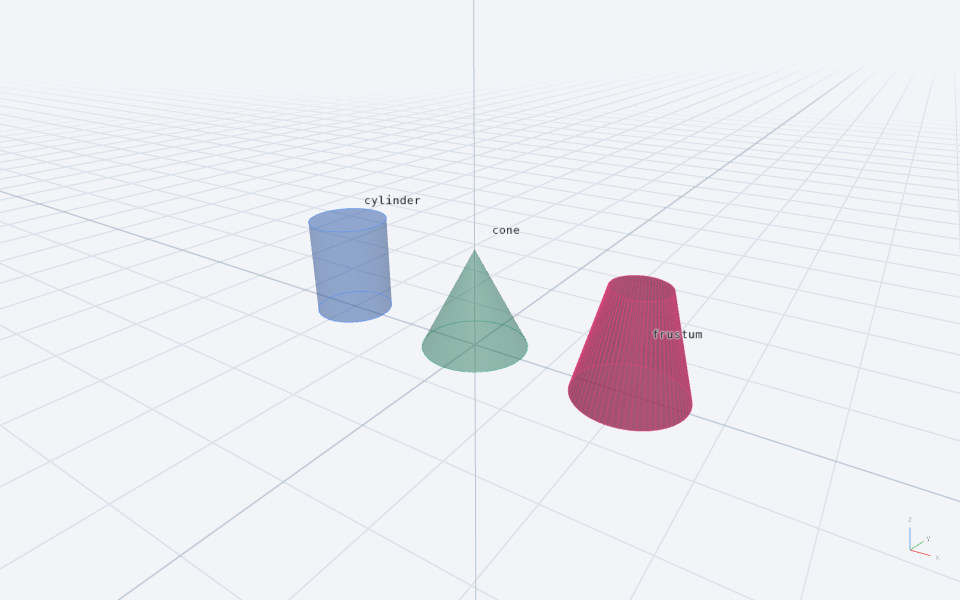
Download 3d-round-solids.eido · View in Viewer
Full Eidolang source
space solid
param h 2.5 range 1.5 3.5
cylinder tube (-4,0,0) (-4,0,h) radius 1
cone peak (0,0,0) apex (0,0,h) radius 1.3
frustum taper (4,0,0) (4,0,h) radii 1.3 0.65
style tube stroke #4c8dff fill #4c8dff opacity 0.55
style peak stroke #3fb68b fill #3fb68b opacity 0.55
style taper stroke #e0447c fill #e0447c opacity 0.55
label tube text "cylinder"
label peak text "cone"
label taper text "frustum"
Spheres and spherical parts
From left to right: sphere, spherical cap, hemisphere, spherical zone and spherical sector. Hidden reference spheres have the same radius, making it easy to compare planar caps, spherical patches and the sector cone.
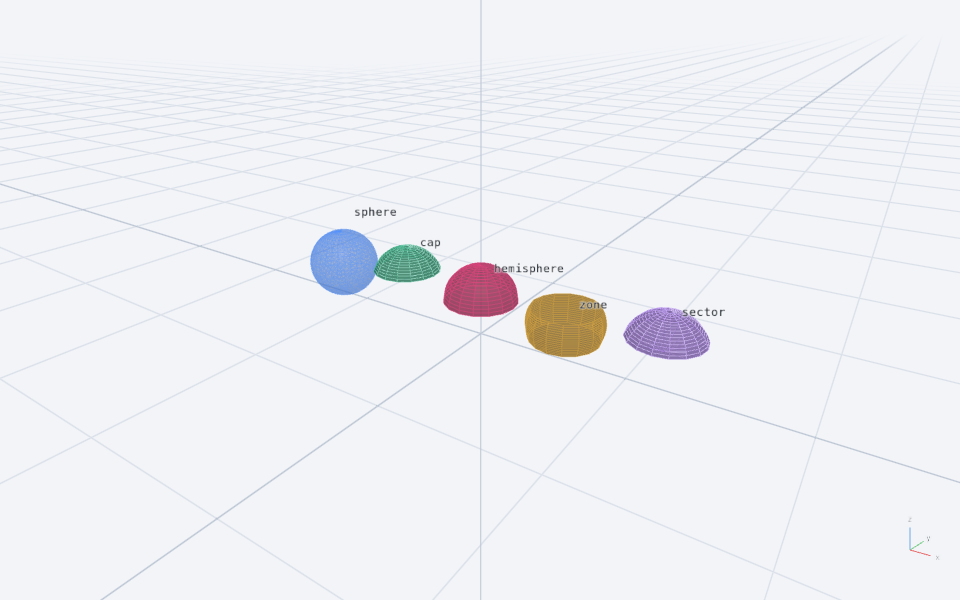
Download 3d-sphere-parts.eido · View in Viewer
Full Eidolang source
space solid
sphere ball (-6,0,1.2) radius 1.2
sphere capSource (-3,0,1.2) radius 1.2
sphere halfSource (0,0,1.2) radius 1.2
sphere bandSource (3,0,1.2) radius 1.2
sphere radialSource (6,0,1.2) radius 1.2
sphere_cap cap capSource normal (0,0,1) height 0.8 samples 16
hemisphere half halfSource normal (0,0,1) samples 16
sphere_zone band bandSource normal (0,0,1) from -0.5 to 0.5 samples 16
sphere_sector radial radialSource normal (0,0,1) height 0.8 samples 16
hide capSource
hide halfSource
hide bandSource
hide radialSource
style ball stroke #4c8dff fill #4c8dff opacity 0.55
style cap stroke #3fb68b fill #3fb68b opacity 0.6
style half stroke #e0447c fill #e0447c opacity 0.6
style band stroke #d9a53f fill #d9a53f opacity 0.6
style radial stroke #b58cf2 fill #b58cf2 opacity 0.6
label ball text "sphere"
label cap text "cap"
label half text "hemisphere"
label band text "zone"
label radial text "sector"
Extrusion and sections with holes
Extrude a polygon with a square hole upward. The pink section preserves the hole. Change h to move the cutting plane through the solid, or edit the extrusion vector in the source.
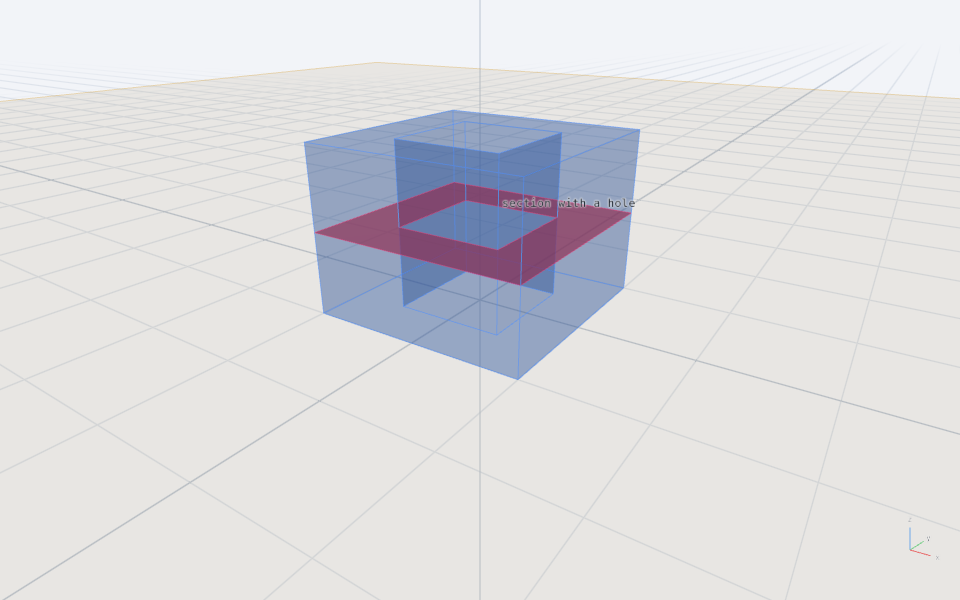
Download 3d-extrusion-and-section.eido · View in Viewer
Full Eidolang source
space solid
param h 1.5 range 0.5 2.5
polygon3 outer (-2,-2,0) (2,-2,0) (2,2,0) (-2,2,0)
polygon3 hole (-1,-1,0) (1,-1,0) (1,1,0) (-1,1,0)
polygon3 ring outer holes hole
extrude hollow ring by (0,0,3)
plane slicing (0,0,h) normal (0,0,1)
section cut hollow by slicing
hide outer
hide hole
hide ring
style hollow stroke #4c8dff fill #4c8dff opacity 0.25
style slicing stroke #d9a53f fill #d9a53f opacity 0.1
style cut stroke #e0447c fill #e0447c opacity 0.8
label cut text "section with a hole"
Revolved surfaces and partial solids
On the left, a segment revolves through a full turn to make a surface. On the right, a closed polygon revolves through 270 degrees to make a capped solid. The yellow segment and visible axes explain the construction.
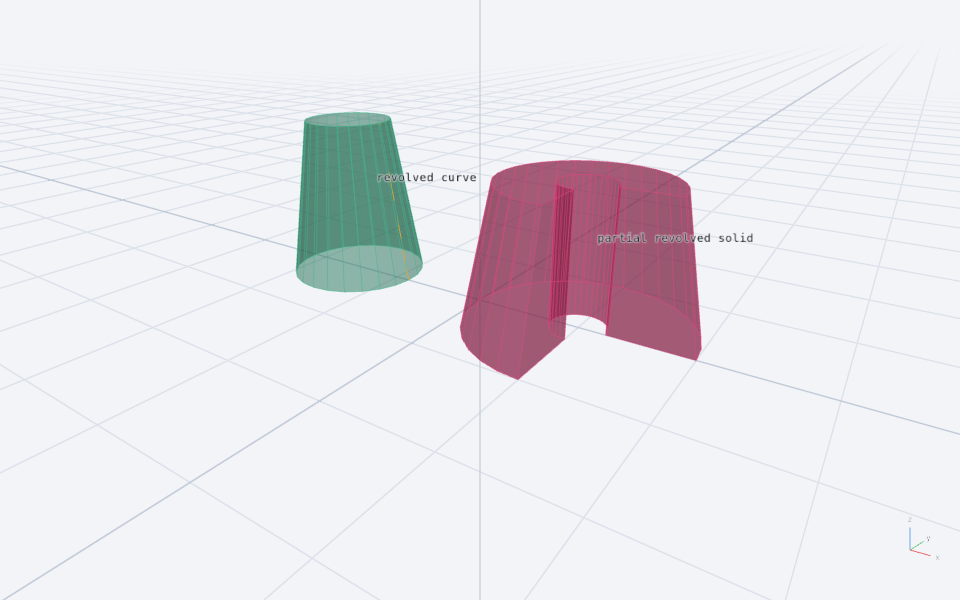
Download 3d-revolution.eido · View in Viewer
Full Eidolang source
space solid
line3 axis (-3,0,0) (-3,0,1)
segment3 profile (-1.7,0,0) (-2.2,0,3)
revolve skin profile around axis samples 24
polygon3 panel (2.5,0,0) (4,0,0) (3.5,0,2.5) (2.5,0,2.5)
line3 secondAxis (2,0,0) (2,0,1)
revolve body panel around secondAxis from 0 to 270deg samples 24
hide panel
style skin stroke #3fb68b fill #3fb68b opacity 0.5
style body stroke #e0447c fill #e0447c opacity 0.5
style profile stroke #d9a53f width 3
label skin text "revolved curve"
label body text "partial revolved solid"
Function, parametric and implicit surfaces
From left to right: a two-variable function surface, a parametric torus and an implicit ellipsoid. Change a to adjust the wave amplitude. Moderate sampling keeps all three usable in the Viewer.
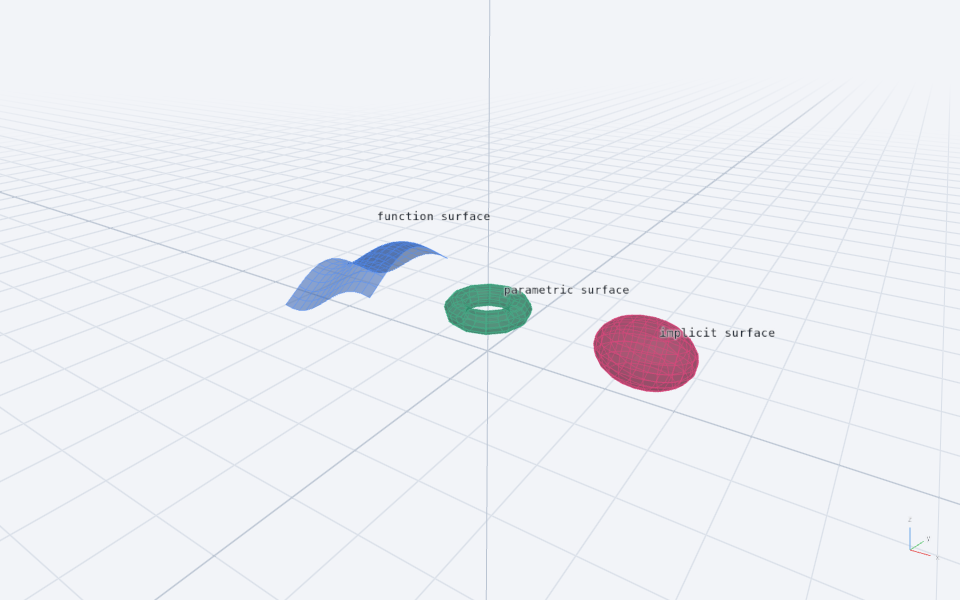
Download 3d-surfaces.eido · View in Viewer
Full Eidolang source
space solid
param a 0.7 range 0.3 1.2
fn wave(x,y) = a*(sin(x+5)+cos(y))+1.5
surface graph wave domain -7 -3 -2 2 samples 12
parametric_surface torus ((1+0.35*cos(v))*cos(u),(1+0.35*cos(v))*sin(u),1.5+0.35*sin(v)) domain 0 2pi 0 2pi samples 12
equation3 ellipsoid ((x-5)^2/2+y^2+(z-1.5)^2-1) domain 3 7 -1.5 1.5 0 3 samples 12
style graph stroke #4c8dff fill #4c8dff opacity 0.55
style torus stroke #3fb68b fill #3fb68b opacity 0.55
style ellipsoid stroke #e0447c fill #e0447c opacity 0.55
label graph text "function surface"
label torus text "parametric surface"
label ellipsoid text "implicit surface"